


Samsung SSD 870 EVO 2TB Review: SATA III Speed & Reliability Tested

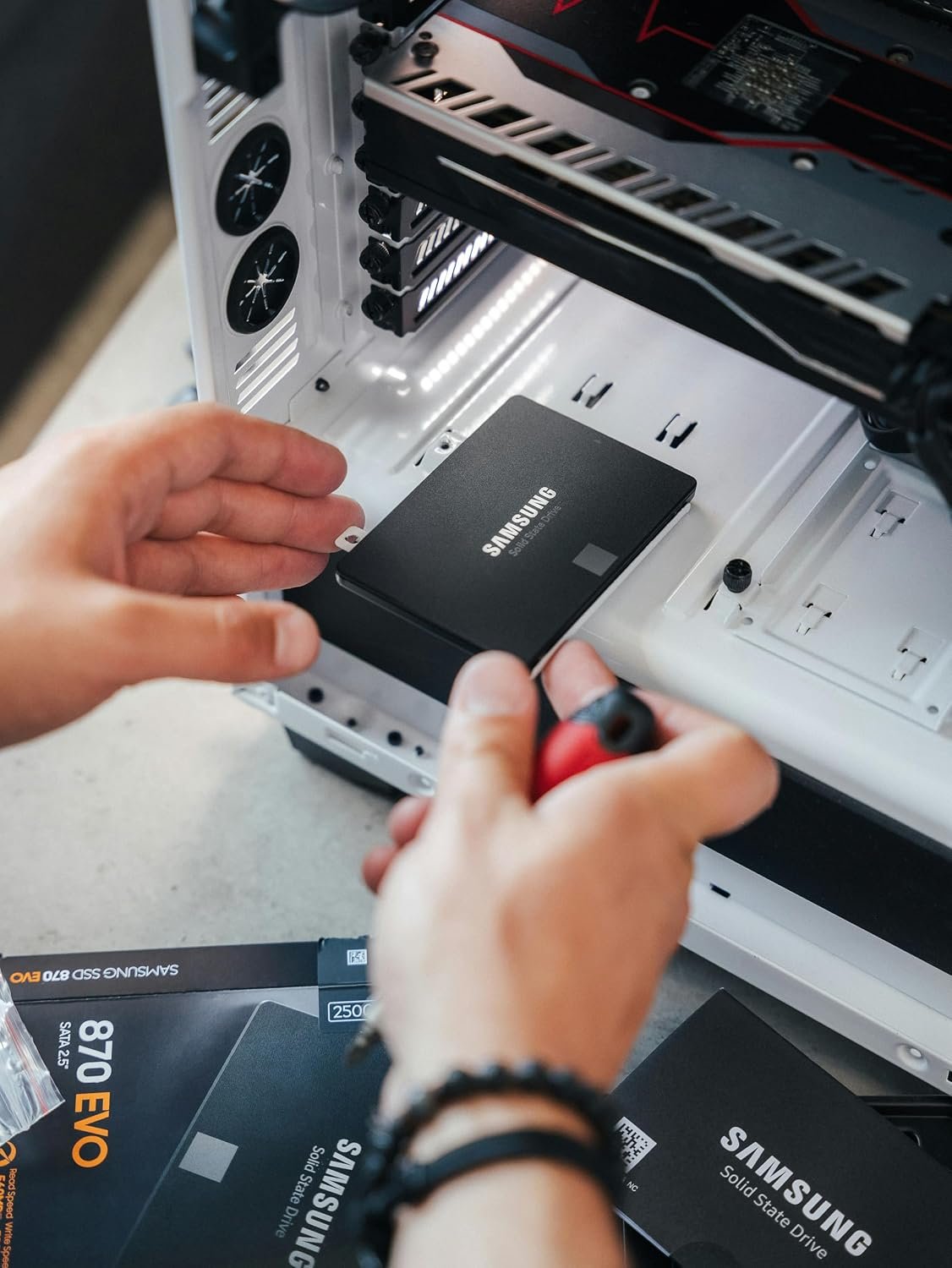
Samsung 870 EVO 2TB review with real performance data, 560MB/s read speeds, 1200 TBW endurance, and 5-year warranty. Is this SATA SSD worth buying in 2026?
Samsung SSD 870 EVO SATA III 2.5" 2TB Review: A Reliable SATA Upgrade
Are you considering upgrading your aging laptop or desktop with a spacious, dependable SSD? If so, the Samsung SSD 870 EVO SATA III 2.5" 2TB likely appeared in your research. With its claimed read speeds up to 560MB/s and a reputation for reliability, this drive aims to be the go-to choice for SATA-based systems.
However, with NVMe drives delivering multiple times that speed, you might wonder if a SATA SSD still makes sense in today's market. The answer depends entirely on your hardware and what you value most: raw speed or broad compatibility and proven stability.
This Samsung 870 EVO 2TB review will walk you through everything you need to know. We will examine its specifications, real-world performance, build quality, and long-term value.
Table of Contents
- What Is the Samsung 870 EVO 2TB?
- Key Features and Specifications
- Performance: What to Expect in Real Use
- Design and Build Quality
- Pros and Cons
- Who Should Buy It
- Who Should Avoid It
- Buying Guide: How to Choose the Right SSD
- Comparison: Samsung 870 EVO vs. Competitors
- Real-World Use Cases
- Maintenance Tips for Longevity
- Frequently Asked Questions
- Final Verdict
What Is the Samsung SSD 870 EVO SATA III 2.5" 2TB?
The Samsung SSD 870 EVO is a 2.5-inch internal solid-state drive that connects via the SATA III interface. According to Samsung, the 2TB model delivers sequential read speeds up to 560MB/s and write speeds up to 530MB/s. It uses Samsung's V-NAND 3-bit MLC technology paired with the company's MKX controller and a 2GB low-power DDR4 cache.
Essentially, this drive is designed to replace traditional hard disk drives in laptops and desktops that support the standard 2.5-inch SATA form factor. It targets everyday users, content creators, and professionals who need generous storage capacity without adopting the newer NVMe platform.
Key Features and Specifications
Understanding the specs helps set realistic expectations. Here is what Samsung lists for the 2TB variant:
| Specification | Detail |
|---|---|
| Form Factor | 2.5 inch |
| Interface | SATA 6 Gb/s (compatible with SATA 3 Gb/s & 1.5 Gb/s) |
| Sequential Read | Up to 560 MB/s |
| Sequential Write | Up to 530 MB/s |
| Random Read (4KB, QD32) | Up to 98,000 IOPS |
| Random Write (4KB, QD32) | Up to 88,000 IOPS |
| NAND Type | Samsung V-NAND 3bit MLC (TLC) |
| Controller | Samsung MKX |
| DRAM Cache | 2 GB LPDDR4 |
| Endurance (TBW) | 1,200 TBW |
| Warranty | 5-year limited |
| Encryption | AES 256-bit (Class 0), TCG/Opal, IEEE1667 |
| Power Consumption | Average 2.5 W; Max 4.5 W (burst) |
Specifications according to Samsung's official product page. Actual performance may vary depending on system hardware and configuration.
Performance: What to Expect in Real Use
Sequential Speeds and Real-World Impact
The advertised 560MB/s read speed represents the practical ceiling of the SATA III interface. In real-world scenarios, you will likely see:
- Boot times: Windows 10 or 11 may load in 15–25 seconds depending on the system.
- Game loading: Open-world games with heavy asset streaming can load noticeably faster than on a mechanical hard drive.
- File transfers: Moving large video files or photo libraries becomes significantly quicker compared to traditional HDDs.
However, it is important to note that sustained write performance can drop after the Intelligent TurboWrite buffer is exhausted. Samsung uses a variable SLC buffer to maintain high speeds for burst workloads, but prolonged writes of massive files may slow to native TLC speeds.
Random Performance Matters More
For everyday responsiveness, random read/write performance is arguably more important than sequential numbers. The 870 EVO's 98K/88K IOPS ratings help with:
- Quick application launches
- Snappy multitasking
- Faster system updates
Design and Build Quality
Physical Construction
The 870 EVO adheres to the standard 2.5-inch form factor: 3.94 × 2.75 × 0.27 inches and weighing approximately 0.10 lb (46g). Its slim profile fits comfortably in most laptop drive bays and desktop mounting brackets.
Durability and Reliability
Samsung rates the drive for 1.5 million hours MTBF (Mean Time Between Failures) and supports it with 1,200 TBW for the 2TB capacity. For context, writing 50GB per day would take over 65 years to reach that TBW limit. The 5-year limited warranty provides additional peace of mind.
The drive also includes AES 256-bit hardware encryption, supporting TCG/Opal and IEEE1667 standards for users who need secure data storage.
Pros and Cons
Pros
- ✅ Generous 2TB capacity suitable for large game libraries, media collections, or professional projects
- ✅ Proven Samsung reliability with strong endurance ratings and a 5-year warranty
- ✅ Broad compatibility with virtually any laptop or desktop featuring a 2.5-inch SATA bay
- ✅ Samsung Magician software offers health monitoring, firmware updates, and performance optimization
- ✅ Hardware encryption for sensitive data protection
- ✅ Consistent performance thanks to DRAM cache and Intelligent TurboWrite
Cons
- ❌ SATA interface limits maximum speed to roughly 560MB/s, far below NVMe drives
- ❌ Price per GB is higher than comparable SATA drives from some competitors
- ❌ Not suitable for systems with only M.2 slots without an adapter
- ❌ Sustained write speeds may drop after buffer exhaustion during very large transfers
Who Should Buy It
This SSD makes the most sense for:
- Laptop owners with a 2.5-inch drive bay who need more storage and better responsiveness than an HDD
- Desktop users on older platforms lacking M.2 slots
- Gamers with SATA-only systems who want faster load times for large game libraries
- Content creators needing reliable storage for video editing or photo work on legacy hardware
- Anyone upgrading from a mechanical hard drive who wants a straightforward, compatible upgrade
Who Should Avoid It
Consider alternatives if:
- Your motherboard has M.2 NVMe slots — you will get significantly faster performance from an NVMe drive
- You need maximum speed for professional workloads like 4K/8K video editing
- Budget is the primary concern — brands like Crucial often offer similar SATA performance for less
- You only need a boot drive — a smaller, cheaper SSD paired with an HDD might be more cost-effective
Buying Guide: How to Choose the Right SSD
Before purchasing any SSD, consider these factors:
- Check your interface. Confirm whether your system supports SATA, M.2 SATA, or M.2 NVMe.
- Determine capacity needs. Games, videos, and applications consume space quickly. 2TB offers ample room for most users.
- Verify physical compatibility. Measure your drive bay and check clearance for 2.5-inch drives.
- Consider endurance requirements. Heavy write workloads benefit from higher TBW ratings.
- Look for DRAM cache. Drives with DRAM generally maintain better performance under load.
- Research the brand's software support. Tools like Samsung Magician add value through monitoring and maintenance features.
Comparison: Samsung 870 EVO vs. Competitors
| Feature | Samsung 870 EVO 2TB | Crucial MX500 2TB | WD Blue SA510 2TB |
|---|---|---|---|
| Interface | SATA III | SATA III | SATA III |
| Sequential Read | Up to 560 MB/s | Up to 560 MB/s | Up to 560 MB/s |
| Sequential Write | Up to 530 MB/s | Up to 510 MB/s | Up to 520 MB/s |
| DRAM Cache | 2GB LPDDR4 | Yes | Yes |
| TBW (2TB) | 1,200 TBW | 700 TBW | 500 TBW |
| Warranty | 5 years | 5 years | 5 years |
| Encryption | AES 256-bit | AES 256-bit | No hardware encryption |
| Software | Samsung Magician | Crucial Storage Executive | WD Dashboard |
Competitor specifications based on manufacturer data and third-party listings.
The 870 EVO leads in endurance (1,200 TBW) and offers superior software support. However, the Crucial MX500 often sells for less, making it a strong value alternative for budget-conscious buyers.
Real-World Use Cases
Laptop Revitalization
Replacing a 5400 RPM HDD with the 870 EVO can transform an aging laptop. Users report significantly faster boot times, snappier application launches, and quieter operation.
Gaming Storage
For SATA-only gaming systems, the 870 EVO provides ample space for a large game library. Load times improve dramatically compared to HDDs, though they will not match NVMe speeds.
Content Creation Backup
Photographers and videographers can use the 870 EVO as a working drive or secondary storage for projects. The 2TB capacity holds substantial media files, and Samsung's reliability reputation suits professional workflows.
External Enclosure Use
With a USB 3.0 enclosure, the 870 EVO becomes a fast portable drive for backups or transferring large files between systems.
Maintenance Tips for Longevity
- Enable TRIM. Modern operating systems enable this automatically, but verify it is active. TRIM helps maintain performance over time.
- Monitor health with Samsung Magician. The software displays wear leveling status, temperature, and TBW usage.
- Keep firmware updated. Samsung occasionally releases firmware updates that improve stability or performance.
- Avoid filling the drive completely. Leave 10–15% free space for garbage collection and wear leveling.
- Maintain reasonable temperatures. SSDs operate best below 70°C. Ensure adequate airflow in desktops and laptops.
- Back up important data. Even reliable drives can fail. Regular backups protect against data loss.
Frequently Asked Questions
Is the Samsung 870 EVO 2TB good for gaming?
Yes. It offers fast load times compared to HDDs and provides ample space for game libraries. However, NVMe drives deliver higher performance if your system supports them.
How long does the Samsung 870 EVO 2TB last?
Samsung rates it for 1,200 TBW (Terabytes Written) with a 5-year warranty. Under typical daily use, it should last many years.
Does the Samsung 870 EVO work with PS4 or PS5?
The 2.5-inch SATA form factor fits the PS4 and PS4 Pro internally. The PS5 requires an M.2 NVMe drive for expansion, so this SSD would only work as external storage on PS5.
Is the 870 EVO better than the 870 QVO?
Yes for performance and endurance. The 870 EVO uses TLC NAND with higher TBW ratings, while the 870 QVO uses QLC NAND with lower endurance and slower sustained write speeds.
Does the Samsung 870 EVO come with cloning software?
Samsung provides Samsung Data Migration and Samsung Magician software for drive management and cloning from an existing drive.
Can I use the 870 EVO in a laptop?
Yes, if your laptop has a 2.5-inch SATA drive bay. Check your model's specifications before purchasing.
Expert Tips
- Clone before you swap. Use Samsung Data Migration or a third-party tool to clone your existing drive before physically replacing it.
- Update firmware first. Check for firmware updates immediately after installation to ensure optimal performance.
- Benchmark after installation. Run CrystalDiskMark or Samsung Magician's benchmark to confirm expected speeds.
- Consider your use case. If you only need a boot drive, a smaller capacity plus an HDD for storage may offer better value.
- Watch for sales. SSD prices fluctuate. The 870 EVO often sees significant discounts during major sales events.
Common Mistakes Buyers Make
- Buying without checking compatibility. Confirm your system supports 2.5-inch SATA drives before ordering.
- Assuming NVMe speeds. SATA SSDs max out around 560MB/s. Do not expect NVMe-level performance.
- Ignoring the TBW rating. For heavy workloads, endurance matters. Choose drives with adequate TBW for your usage.
- Skipping backups. No drive is infallible. Always maintain backups of critical data.
- Not using manufacturer software. Samsung Magician provides valuable health monitoring and optimization features.
Final Verdict
★★★★☆ (4.5/5)
The Samsung SSD 870 EVO SATA III 2.5" 2TB remains a strong choice for users who need a reliable, high-capacity SATA SSD. Its 1,200 TBW endurance rating, 5-year warranty, and Samsung's proven track record make it a trustworthy upgrade for aging laptops and desktops.
What we like: Excellent endurance, broad compatibility, Samsung Magician software, hardware encryption.
What could be better: SATA speed ceiling, higher price than some competitors.
Bottom line: If your system uses SATA and you need 2TB of dependable storage, the 870 EVO delivers. If you have M.2 NVMe slots, consider an NVMe drive for better performance.
Conclusion
The Samsung SSD 870 EVO SATA III 2.5" 2TB offers a compelling combination of capacity, reliability, and compatibility for SATA-based systems. Its 560MB/s read speeds and 1,200 TBW endurance rating make it suitable for everything from everyday computing to gaming and content creation.
While NVMe drives offer higher performance, the 870 EVO's broad compatibility and proven reliability keep it relevant for millions of laptops and desktops still using the SATA interface. If you are upgrading from a hard drive or need dependable storage for a SATA-only system, this SSD deserves serious consideration.
👉 Ready to Upgrade?
Check the latest price on Amazon:
As an Amazon Associate, I earn from qualifying purchases.
Have questions about the Samsung 870 EVO? Share your thoughts in the comments below, or pass this guide along to someone planning an SSD upgrade.
Disclaimer: Product specifications and performance figures are based on manufacturer data and may vary depending on system configuration and usage. This article contains affiliate links. If you purchase through these links, we may earn a small commission at no additional cost to you.